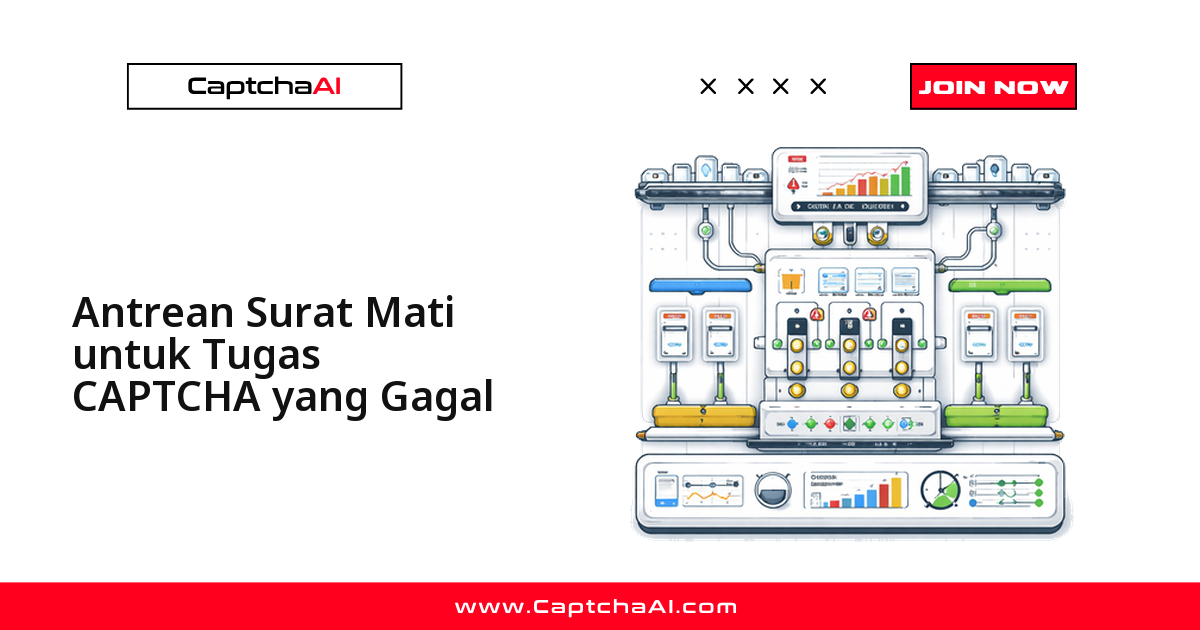
Dead-letter queue (DLQ) adalah jaring pengaman untuk pipeline penyelesaian CAPTCHA Anda: setiap task yang tetap gagal setelah semua retry habis tidak dibuang begitu saja, melainkan disimpan agar bisa diproses ulang, dianalisis, atau memicu alert. Tanpa mekanisme ini, satu task yang gagal hanya menyisakan sebaris log lalu terlupakan — dan pekerjaan yang seharusnya selesai berhenti diam-diam. Panduan ini menunjukkan cara membangun DLQ untuk task CAPTCHA di CaptchaAI: mulai dari versi in-memory ringan dengan Python, versi file-persistent dengan Node.js, hingga retry otomatis dan analisis pola kegagalan.
Kapan task CAPTCHA berakhir di DLQ
Sebuah task biasanya masuk ke DLQ ketika penyelesaian CAPTCHA gagal permanen, bukan sekadar lambat. Penyebab yang paling sering muncul:
ERROR_CAPTCHA_UNSOLVABLE— solver tidak dapat menyelesaikan challenge yang dikirim.ERROR_NO_SLOT_AVAILABLE— semua worker sedang sibuk dan jatah retry sudah habis.- Timeout — solver tidak mengembalikan hasil dalam batas waktu yang ditentukan.
- Error jaringan — koneksi terputus di tengah proses polling.
Bayangkan sebuah agensi price-monitoring di Jakarta yang menjalankan batch scraping tiap malam di region AWS ap-southeast-3. Jika beberapa ratus task gagal karena lonjakan trafik dini hari, tanpa DLQ kegagalan itu lenyap sebelum tim melihat dashboard esok paginya — dan produk yang harusnya terpantau jadi terlewat. DLQ mengubah kegagalan yang tak kasat mata menjadi antrean yang bisa ditindaklanjuti, lengkap dengan konteks untuk debugging.
Empat langkah membangun DLQ yang tahan gagal
Pola dasarnya konsisten di bahasa apa pun:
- Jalankan alur normal: kirim task ke
in.php, simpan task ID, pollingres.php, pakai token. - Bungkus alur itu dengan retry ber-backoff untuk kegagalan yang bersifat sementara.
- Setelah retry habis, dorong task beserta konteksnya ke DLQ alih-alih membuangnya.
- Kuras DLQ secara terjadwal untuk retry lanjutan, lalu analisis sisa yang tetap gagal.
Sisa panduan ini menerapkan pola tersebut, dari implementasi paling ringan hingga yang siap produksi.
Python: DLQ in-memory dengan retry otomatis
Implementasi paling ringan menyimpan task yang gagal di memori menggunakan deque, cocok untuk skrip yang berjalan singkat. Fungsi solve_captcha mengirim task ke in.php, melakukan polling ke res.php, dan baru mendorong task ke DLQ setelah seluruh retry dengan exponential backoff tetap gagal — jadi hanya kegagalan sejati yang tercatat.
import time
import json
import requests
from collections import deque
from dataclasses import dataclass, asdict
from typing import Optional

API_KEY = "YOUR_API_KEY"
SUBMIT_URL = "https://ocr.captchaai.com/in.php"
RESULT_URL = "https://ocr.captchaai.com/res.php"


@dataclass
class FailedTask:
    sitekey: str
    page_url: str
    error: str
    attempts: int
    timestamp: float
    task_id: Optional[str] = None


class DeadLetterQueue:
    def __init__(self, max_size=1000, max_retries=3):
        self._queue = deque(maxlen=max_size)
        self.max_retries = max_retries

    def push(self, task: FailedTask):
        self._queue.append(task)
        print(f"[dlq] Added: {task.error} (attempts: {task.attempts})")

    def pop(self) -> Optional[FailedTask]:
        return self._queue.popleft() if self._queue else None

    def size(self) -> int:
        return len(self._queue)

    def peek_all(self) -> list:
        return [asdict(t) for t in self._queue]

    def export_json(self, path: str):
        with open(path, "w") as f:
            json.dump(self.peek_all(), f, indent=2)
        print(f"[dlq] Exported {self.size()} tasks to {path}")


dlq = DeadLetterQueue(max_retries=3)


def solve_captcha(sitekey, page_url, max_retries=3):
    for attempt in range(max_retries + 1):
        try:
            resp = requests.post(SUBMIT_URL, data={
                "key": API_KEY,
                "method": "userrecaptcha",
                "googlekey": sitekey,
                "pageurl": page_url,
                "json": "1",
            }, timeout=15)
            data = resp.json()
            if data["status"] != 1:
                raise Exception(data["request"])

            task_id = data["request"]
            for _ in range(24):
                time.sleep(5)
                poll = requests.get(RESULT_URL, params={
                    "key": API_KEY, "action": "get",
                    "id": task_id, "json": "1",
                }, timeout=15).json()

                if poll["status"] == 1:
                    return poll["request"]
                if poll["request"] != "CAPCHA_NOT_READY":
                    raise Exception(poll["request"])

            raise TimeoutError(f"Task {task_id} timed out")

        except Exception as e:
            if attempt == max_retries:
                dlq.push(FailedTask(
                    sitekey=sitekey,
                    page_url=page_url,
                    error=str(e),
                    attempts=attempt + 1,
                    timestamp=time.time(),
                ))
                return None
            time.sleep(2 ** attempt)

    return None


# Process a batch
urls = [f"https://example.com/page/{i}" for i in range(5)]
for url in urls:
    token = solve_captcha("6Le-SITEKEY", url)
    if token:
        print(f"Solved: {token[:40]}...")

print(f"\nDLQ size: {dlq.size()}")
Output yang Anda harapkan kurang lebih seperti ini — dua task masuk ke DLQ, sisanya selesai normal:
Solved: 03AGdBq26ZfPxL...
Solved: 03AGdBq27AbCdE...
[dlq] Added: ERROR_CAPTCHA_UNSOLVABLE (attempts: 4)
Solved: 03AGdBq28FgHiJ...
[dlq] Added: Task 71823460 timed out (attempts: 4)

DLQ size: 2
Menguras DLQ: memproses ulang task yang gagal
Setelah batch utama selesai, kuras DLQ secara berkala. Fungsi berikut mengambil setiap task, menghormati batas percobaan maksimal, lalu mencoba menyelesaikannya kembali. Karena CaptchaAI menagih per thread dengan solve tak terbatas per thread, memproses ulang task dari DLQ tidak menambah biaya per solve — Anda hanya memakai kembali alokasi thread yang sudah dibayar.
def retry_dlq(dlq: DeadLetterQueue, max_retries=2):
    retried = 0
    recovered = 0

    while dlq.size() > 0:
        task = dlq.pop()
        if task.attempts >= dlq.max_retries + max_retries:
            print(f"[dlq] Permanently failed: {task.sitekey} — {task.error}")
            continue

        retried += 1
        token = solve_captcha(
            task.sitekey, task.page_url, max_retries=max_retries
        )
        if token:
            recovered += 1
            print(f"[dlq-retry] Recovered: {token[:40]}...")

    print(f"[dlq] Retried: {retried}, Recovered: {recovered}")

# Run DLQ retry after main batch
retry_dlq(dlq)
Node.js: DLQ dengan persistensi file
Untuk layanan yang berjalan lama, DLQ in-memory berisiko: satu restart proses menghapus seluruh antrean. Versi Node.js ini menulis queue ke file JSON setiap kali task masuk atau keluar, sehingga task yang gagal tetap aman melewati restart maupun deploy.
const fs = require('fs');
const axios = require('axios');

const API_KEY = 'YOUR_API_KEY';
const DLQ_FILE = './captcha-dlq.json';

class DeadLetterQueue {
  constructor(maxRetries = 3) {
    this.maxRetries = maxRetries;
    this.queue = this._load();
  }

  push(task) {
    this.queue.push({
      ...task,
      timestamp: Date.now(),
    });
    this._save();
    console.log(`[dlq] Added: ${task.error} (attempts: ${task.attempts})`);
  }

  pop() {
    const task = this.queue.shift();
    if (task) this._save();
    return task || null;
  }

  size() {
    return this.queue.length;
  }

  _load() {
    try {
      return JSON.parse(fs.readFileSync(DLQ_FILE, 'utf8'));
    } catch {
      return [];
    }
  }

  _save() {
    fs.writeFileSync(DLQ_FILE, JSON.stringify(this.queue, null, 2));
  }
}

const dlq = new DeadLetterQueue(3);

async function solveCaptcha(sitekey, pageurl, maxRetries = 3) {
  for (let attempt = 0; attempt <= maxRetries; attempt++) {
    try {
      const submit = await axios.post('https://ocr.captchaai.com/in.php', null, {
        params: { key: API_KEY, method: 'userrecaptcha', googlekey: sitekey, pageurl, json: 1 }
      });
      if (submit.data.status !== 1) throw new Error(submit.data.request);

      const taskId = submit.data.request;
      for (let i = 0; i < 24; i++) {
        await new Promise(r => setTimeout(r, 5000));
        const poll = await axios.get('https://ocr.captchaai.com/res.php', {
          params: { key: API_KEY, action: 'get', id: taskId, json: 1 }
        });
        if (poll.data.status === 1) return poll.data.request;
        if (poll.data.request !== 'CAPCHA_NOT_READY') throw new Error(poll.data.request);
      }
      throw new Error(`Task ${taskId} timed out`);
    } catch (err) {
      if (attempt === maxRetries) {
        dlq.push({ sitekey, pageurl, error: err.message, attempts: attempt + 1 });
        return null;
      }
      await new Promise(r => setTimeout(r, 2 ** attempt * 1000));
    }
  }
}

// Process tasks
(async () => {
  for (let i = 0; i < 5; i++) {
    const token = await solveCaptcha('6Le-SITEKEY', `https://example.com/page/${i}`);
    if (token) console.log(`Solved: ${token.substring(0, 40)}...`);
  }
  console.log(`DLQ size: ${dlq.size()}`);
})();
Memilih penyimpanan DLQ: in-memory, file, atau Redis
Pilih penyimpanan sesuai umur proses dan kebutuhan ketahanannya:
| Penyimpanan | Cocok untuk | Bertahan saat restart | Aman untuk concurrent |
|---|---|---|---|
In-memory (deque) |
Skrip singkat, batch sekali jalan | Tidak | Tidak |
| File JSON | Layanan kecil, satu proses | Ya | Perlu file locking |
| Redis/database | Layanan terdistribusi, banyak worker | Ya | Ya |
Untuk agensi yang menjalankan banyak worker paralel, Redis menghindari korupsi file yang muncul ketika beberapa proses menulis DLQ secara bersamaan.
Catatan: DLQ menyimpan metadata task yang benar-benar gagal, bukan pengganti retry biasa. Retry cepat menangani gangguan sesaat; DLQ menangkap sisa yang tetap gagal setelahnya.
Menganalisis pola kegagalan dari DLQ
DLQ bukan sekadar tempat penampungan — isinya adalah data diagnostik. Ekspor task yang gagal ke JSON, lalu hitung distribusi error untuk menemukan pola berulang:
# Export DLQ untuk analisis
dlq.export_json("failed-tasks.json")

# Analisis distribusi error
from collections import Counter
errors = Counter(t["error"] for t in dlq.peek_all())
for error, count in errors.most_common():
    print(f"  {error}: {count}")
Manfaatkan data ini untuk:
- Menemukan sitekey yang selalu gagal → periksa apakah parameter
googlekeydanpageurlsudah benar. - Mendeteksi timeout yang menumpuk pada jam tertentu → korelasikan dengan beban API dan trafik target.
- Mengisolasi error jaringan → periksa kesehatan proxy dan koneksi egress Anda.
Saat menganalisis task yang gagal dari pekerjaan scraping, pastikan Anda hanya memproses data yang berhak Anda olah; UU Pelindungan Data Pribadi (UU 27/2022) menjadikan ini keharusan, bukan sekadar praktik baik.
Kebijakan replay dead-letter
Sebelum menyalakan replay otomatis, sepakati dulu aturan mainnya.
Simpan konteks yang cukup untuk debugging
Rekam request asli, alasan kegagalan, dan jumlah percobaan pada setiap task, agar replay bisa ditelusuri alih-alih diulang secara buta.
Pisahkan retry otomatis dari peninjauan manual
Tentukan lebih dulu kegagalan mana yang aman di-retry otomatis dan mana yang harus menunggu operator — misalnya ERROR_CAPTCHA_UNSOLVABLE yang berulang pada satu sitekey layak ditinjau manusia.
Jadikan kesehatan antrean sebagai metrik utama
Pantau throughput replay, usia task tertua, dan tingkat kegagalan berulang sebagai sinyal operasional — bukan angka yang baru dilihat ketika insiden sudah terjadi.
Pemecahan masalah
| Masalah | Penyebab | Perbaikan |
|---|---|---|
| DLQ terus membengkak | Retry tidak pernah diproses | Jadwalkan pengurasan berkala dengan retry_dlq() |
| Task yang sama di-retry tanpa henti | Tidak ada batas percobaan maksimal | Periksa task.attempts sebelum memasukkan ulang ke antrean |
| File DLQ rusak | Penulisan concurrent | Gunakan file locking atau beralih ke Redis/database |
| Task hilang saat proses crash | Hanya mengandalkan DLQ in-memory | Gunakan DLQ berbasis file atau Redis |
Pertanyaan umum
Apakah memproses ulang task dari DLQ menambah biaya di CaptchaAI?
Tidak. CaptchaAI menagih per thread dengan solve tak terbatas per thread, jadi retry dari DLQ hanya memakai alokasi thread yang sudah Anda bayar — tidak ada biaya per solve tambahan. Paket termurah, BASIC ($15/bulan, 5 threads), pun sudah mencakup solve tak terbatas.
Error apa yang paling sering membuat task masuk DLQ?
Umumnya ERROR_CAPTCHA_UNSOLVABLE dan timeout. ERROR_NO_SLOT_AVAILABLE menandakan seluruh thread sedang penuh — naikkan plan atau atur ulang konkurensi, bukan sekadar retry lebih agresif.
Bagaimana cara memantau agar DLQ tidak menumpuk diam-diam?
Perlakukan dlq.size() dan usia task tertua sebagai metrik. Jadwalkan retry_dlq() secara berkala, lalu pasang alert ketika ukuran antrean melewati ambang yang Anda tetapkan.
Kapan sebuah task sebaiknya dibuang permanen?
Setelah 2–3 retry DLQ di atas retry aslinya. Jika satu task gagal total 6+ kali, parameternya kemungkinan besar salah — catat, lalu lanjutkan tanpa memblokir antrean.
Bisakah DLQ dipakai bersama circuit breaker?
Ya. Circuit breaker menghentikan pengiriman request saat terjadi outage, sedangkan DLQ menangkap task yang gagal sebelum circuit terbuka. Lihat pola circuit breaker untuk API call CAPTCHA.
Jangan biarkan satu pun task CAPTCHA gagal hilang
Dapatkan API key CaptchaAI di captchaai.com dan bangun DLQ pertama Anda hari ini.