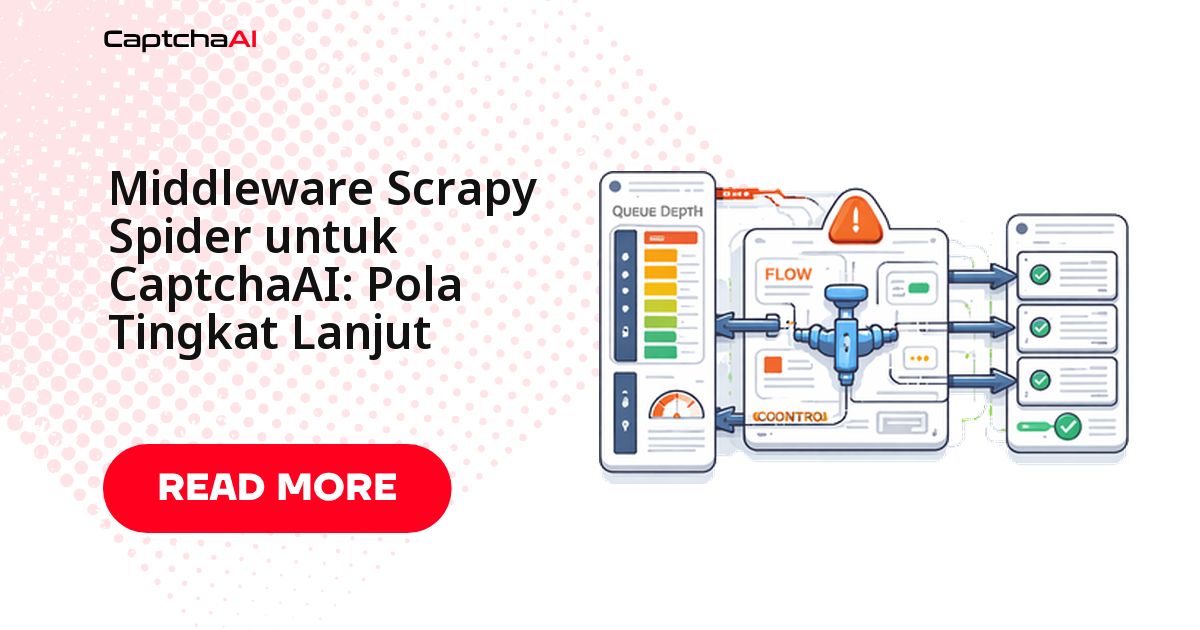
Di Scrapy, tempat menangani CAPTCHA bukan parse(), melainkan downloader middleware — satu kelas yang memeriksa setiap respons, mengenali reCAPTCHA v2 atau CAPTCHA gambar, mengirimnya ke API CaptchaAI, lalu menaruh token hasilnya di request.meta. Pola itu membuat satu implementasi melayani semua spider dalam proyek, termasuk halaman ke-800 yang mendadak memunculkan tantangan di tengah crawl. Panduan ini memasang lapisan itu dari nol dengan Python biasa — tanpa browser, tanpa menyentuh logika parsing yang sudah ada.
Kenapa CAPTCHA ditangani di middleware, bukan di dalam spider
Godaan pertama biasanya menaruh pemanggilan solver di dalam parse(). Cara itu jalan untuk satu spider, lalu berantakan begitu Anda punya lima: setiap spider menyimpan salinan logika polling sendiri, dan satu perubahan kecil memaksa Anda menyunting lima berkas.
Middleware memisahkan tanggung jawab dengan rapi: spider mengurus ekstraksi data, middleware mengurus verifikasi. Karena Scrapy memanggil process_response untuk setiap respons, deteksi cukup dipasang sekali untuk seluruh proyek — dan semua log solve keluar dari satu kelas.
Yang perlu disiapkan
Empat hal, tiga di antaranya kemungkinan besar sudah ada.
| Kebutuhan | Detail |
|---|---|
| Python | 3.8+ |
| Scrapy | 2.5+ |
| requests | Untuk memanggil API CaptchaAI |
| API key CaptchaAI | Ambil di sini |
pip install scrapy requests
Catat sejak awal: requests bersifat blocking, jadi selama satu solve berjalan reactor Scrapy ikut menunggu — itu sebabnya bagian thread di bawah penting.
Langkah 1: modul solver CaptchaAI
Buat captcha_solver.py di root proyek. Kelas ini memegang seluruh percakapan dengan API: kirim tantangan ke in.php, simpan task ID, polling res.php sampai jawabannya siap, lalu kembalikan token.
import requests
import time


class CaptchaAISolver:
    def __init__(self, api_key):
        self.api_key = api_key
        self.base_url = "https://ocr.captchaai.com"

    def solve_recaptcha(self, site_key, page_url, timeout=300):
        resp = requests.get(f"{self.base_url}/in.php", params={
            "key": self.api_key,
            "method": "userrecaptcha",
            "googlekey": site_key,
            "pageurl": page_url,
        })

        if not resp.text.startswith("OK|"):
            raise Exception(f"Submit failed: {resp.text}")

        task_id = resp.text.split("|")[1]
        deadline = time.time() + timeout

        while time.time() < deadline:
            time.sleep(5)
            result = requests.get(f"{self.base_url}/res.php", params={
                "key": self.api_key,
                "action": "get",
                "id": task_id,
            })

            if result.text == "CAPCHA_NOT_READY":
                continue
            if result.text.startswith("OK|"):
                return result.text.split("|", 1)[1]
            raise Exception(f"Solve failed: {result.text}")

        raise TimeoutError(f"Task {task_id} timed out")

    def solve_image(self, image_base64, timeout=120):
        resp = requests.get(f"{self.base_url}/in.php", params={
            "key": self.api_key,
            "method": "base64",
            "body": image_base64,
        })

        if not resp.text.startswith("OK|"):
            raise Exception(f"Submit failed: {resp.text}")

        task_id = resp.text.split("|")[1]
        deadline = time.time() + timeout

        while time.time() < deadline:
            time.sleep(5)
            result = requests.get(f"{self.base_url}/res.php", params={
                "key": self.api_key,
                "action": "get",
                "id": task_id,
            })

            if result.text == "CAPCHA_NOT_READY":
                continue
            if result.text.startswith("OK|"):
                return result.text.split("|", 1)[1]
            raise Exception(f"Solve failed: {result.text}")

        raise TimeoutError(f"Task {task_id} timed out")
Empat detail yang layak diperhatikan:
method=userrecaptchamenentukan tipe tantangan;solve_image()memakaibase64untuk CAPTCHA gambar.- Interval polling 5 detik sudah pas. reCAPTCHA v2 selesai di bawah 60 detik pada tipe yang didukung, jadi polling lebih rapat hanya menambah request.
CAPCHA_NOT_READYbukan kesalahan. Ejaannya memang begitu di API; perlakukan sebagai "belum selesai" dan lanjutkan loop.- Batas waktu ditulis eksplisit.
timeout=300dan120mencegah spider menggantung ketika jaringan bermasalah.
Langkah 2: middleware yang mendeteksi dan menyelesaikan tantangan
Buat middlewares.py. Kelas CaptchaAIMiddleware membaca API key dari settings lewat from_crawler, lalu memeriksa setiap respons untuk dua pola: atribut data-sitekey milik reCAPTCHA dan elemen img#captcha-image yang berisi data URI.
import base64
import re
from scrapy import signals
from scrapy.http import HtmlResponse
from captcha_solver import CaptchaAISolver


class CaptchaAIMiddleware:
    """Scrapy downloader middleware that detects and solves CAPTCHAs."""

    def __init__(self, api_key):
        self.solver = CaptchaAISolver(api_key)

    @classmethod
    def from_crawler(cls, crawler):
        api_key = crawler.settings.get("CAPTCHAAI_API_KEY")
        if not api_key:
            raise ValueError("CAPTCHAAI_API_KEY setting is required")
        return cls(api_key)

    def process_response(self, request, response, spider):
        # Check for reCAPTCHA on the page
        site_key = self._find_recaptcha_key(response.text)
        if site_key:
            spider.logger.info(f"reCAPTCHA detected on {response.url}")
            token = self.solver.solve_recaptcha(site_key, response.url)
            request.meta["captcha_token"] = token
            spider.logger.info("CAPTCHA solved successfully")

        # Check for image CAPTCHA
        captcha_img = self._find_image_captcha(response)
        if captcha_img:
            spider.logger.info(f"Image CAPTCHA detected on {response.url}")
            text = self.solver.solve_image(captcha_img)
            request.meta["captcha_text"] = text
            spider.logger.info(f"Image CAPTCHA solved: {text}")

        return response

    def _find_recaptcha_key(self, html):
        match = re.search(
            r'data-sitekey=["\']([A-Za-z0-9_-]+)["\']', html
        )
        return match.group(1) if match else None

    def _find_image_captcha(self, response):
        img = response.css("img#captcha-image::attr(src)").get()
        if img and img.startswith("data:image"):
            return img.split(",", 1)[1]
        return None
process_response mengembalikan respons aslinya; token hanya dititipkan di request.meta, jadi spider yang memutuskan mau diapakan. Regex data-sitekey sengaja dibuat sederhana — kalau situs target menaruh sitekey di dalam blok JavaScript, ganti polanya sesuai struktur HTML mereka.
Langkah 3: daftarkan middleware di settings.py
import os

CAPTCHAAI_API_KEY = os.environ.get("CAPTCHAAI_API_KEY")

DOWNLOADER_MIDDLEWARES = {
    "myproject.middlewares.CaptchaAIMiddleware": 560,
}
Angka 560 adalah prioritas eksekusi: setelah RetryMiddleware bawaan (550), sebelum RedirectMiddleware (600), sehingga yang Anda periksa adalah respons yang sudah stabil. API key dibaca dari environment variable supaya tidak ikut ter-commit ke repositori.
Langkah 4: spider yang memakai token
Spider tidak perlu tahu apa pun tentang CaptchaAI. Ia cukup membaca response.meta: kalau ada token di sana, kirim ulang halaman dengan field g-recaptcha-response; kalau tidak ada, parsing seperti biasa.
import scrapy


class ProductSpider(scrapy.Spider):
    name = "products"
    start_urls = ["https://example.com/products"]

    def parse(self, response):
        # If CAPTCHA was solved, the token is in meta
        token = response.meta.get("captcha_token")
        if token:
            # Resubmit the page with the token
            yield scrapy.FormRequest(
                url=response.url,
                formdata={"g-recaptcha-response": token},
                callback=self.parse_products,
            )
        else:
            yield from self.parse_products(response)

    def parse_products(self, response):
        for product in response.css(".product-item"):
            yield {
                "name": product.css("h2::text").get(),
                "price": product.css(".price::text").get(),
                "url": response.urljoin(
                    product.css("a::attr(href)").get()
                ),
            }

        next_page = response.css("a.next-page::attr(href)").get()
        if next_page:
            yield scrapy.Request(response.urljoin(next_page))
Pemisahan parse() dan parse_products() membuat jalur bertantangan dan jalur normal bertemu di fungsi parsing yang sama, jadi selektor tidak perlu diduplikasi. Paginasi tetap berjalan karena setiap halaman berikutnya melewati middleware yang sama.
Langkah 5: coba ulang otomatis saat halaman tantangan muncul
Sebagian situs tidak menyisipkan CAPTCHA ke halaman aslinya, melainkan mengganti seluruh halaman dengan halaman verifikasi. Untuk kasus itu, tambahkan middleware kedua yang mengenalinya dan menjadwalkan ulang request.
class CaptchaRetryMiddleware:
    """Retry requests that return CAPTCHA challenge pages."""

    max_retries = 3

    def process_response(self, request, response, spider):
        if self._is_captcha_page(response):
            retries = request.meta.get("captcha_retries", 0)
            if retries < self.max_retries:
                request.meta["captcha_retries"] = retries + 1
                spider.logger.info(
                    f"CAPTCHA page detected, retry {retries + 1}"
                )
                return request.copy()

        return response

    def _is_captcha_page(self, response):
        indicators = [
            "g-recaptcha",
            "cf-turnstile",
            "captcha-image",
            "Please verify you are human",
        ]
        return any(ind in response.text for ind in indicators)
Batas tiga percobaan itu penting: tanpa batas, satu halaman yang selalu memicu tantangan bisa memutar loop tanpa ujung dan menghabiskan thread. Untuk perilaku yang lebih halus, sisipkan jeda yang meningkat eksponensial (exponential backoff) sebelum request.copy().
Menjalankan crawl
Ekspor API key ke environment, lalu jalankan spider seperti biasa:
export CAPTCHAAI_API_KEY="YOUR_API_KEY"
scrapy crawl products -o products.json
Log middleware mencatat setiap deteksi dan setiap solve, jadi rasio halaman bertantangan bisa dihitung dengan grep di berkas log — angka itu yang dipakai untuk memperkirakan thread.
Memperkirakan kebutuhan thread untuk crawl produksi
CaptchaAI menagih per thread — satu thread berarti satu CAPTCHA yang sedang diproses — dan setiap paket memberi solve tanpa batas selama bulan berjalan. Untuk Scrapy, angka yang relevan bukan jumlah halaman, melainkan berapa banyak solve yang berjalan bersamaan.
Contoh yang lazim di tim price monitoring Jakarta: crawler katalog menyapu 40.000 halaman tiap malam dan sekitar 2% di antaranya memunculkan reCAPTCHA v2 — kira-kira 800 solve per crawl. Dengan CONCURRENT_REQUESTS = 16, batas atas solve bersamaan juga 16. BASIC ($15/bulan, 5 thread) cukup untuk crawl kecil, tetapi menjadi titik sempit pada beban ini; STANDARD ($30/bulan, 15 thread) lebih realistis untuk crawl semalam seperti contoh di atas; ADVANCE ($90/bulan, 50 thread) baru masuk akal saat beberapa proyek klien berbagi satu akun.
Biaya tetap berapa pun jumlah solve-nya, jadi model ini cocok untuk pekerjaan kontrak scraping yang volumenya naik-turun. Catatan infrastruktur: karena requests blocking, latensi jaringan ikut menahan reactor — menjalankan spider dari AWS ap-southeast-1 (Singapura) atau ap-southeast-3 (Jakarta) memangkas overhead per polling.
Masalah yang sering muncul saat integrasi
| Gejala | Penyebab | Perbaikan |
|---|---|---|
ValueError: CAPTCHAAI_API_KEY setting is required |
Environment variable belum diekspor | Setel CAPTCHAAI_API_KEY sebelum scrapy crawl |
| CAPTCHA tidak terdeteksi | Struktur HTML berbeda dari pola bawaan | Sesuaikan regex data-sitekey atau selektor img#captcha-image |
TimeoutError saat solve |
Jaringan lambat atau antrean menumpuk | Perbesar timeout di solver, periksa sisa thread |
| Token ditolak situs | Token dipakai lewat 120 detik | Selesaikan tantangan tepat sebelum form dikirim |
| Spider tetap diblokir | Pemblokiran berbasis reputasi IP, bukan CAPTCHA | Turunkan laju permintaan, pakai alamat egress yang Anda kelola |
Catatan kepatuhan sebelum crawl produksi
UU Pelindungan Data Pribadi (UU 27/2022) dan UU ITE membuat prinsip "ambil hanya data yang boleh Anda proses" bukan sekadar etika kerja — hindari data pribadi dan halaman di balik login milik orang lain. Hormati juga robots.txt dan DOWNLOAD_DELAY: menyelesaikan CAPTCHA tidak menghapus kewajiban menjaga laju permintaan tetap wajar. Ini bukan nasihat hukum.
Pertanyaan yang sering diajukan
Bagaimana kalau halaman target memakai hCaptcha atau FunCaptcha?
Middleware di atas tidak menolong di sana: hCaptcha dan FunCaptcha (Arkose Labs) belum ada di daftar tipe yang bisa diselesaikan CaptchaAI. Dari Scrapy Anda bisa menangani reCAPTCHA v2 dan v2 Invisible, reCAPTCHA v3, Cloudflare Turnstile dan Challenge, GeeTest v3, serta CAPTCHA gambar dan grid — ditambah CaptchaFox (beta), Friendly Captcha (beta), dan Lemin (beta). GeeTest v4 berstatus segera hadir.
Bisakah satu middleware menangani reCAPTCHA v2 dan Turnstile sekaligus?
Bisa. Tambahkan pemeriksaan kedua di process_response untuk penanda cf-turnstile, lalu panggil metode solver terpisah dengan method=turnstile. Simpan hasilnya di kunci meta yang berbeda, karena nama field yang harus diisi saat mengirim form juga berbeda antar tipe.
Berapa lama token hasil solve tetap valid?
Sekitar 120 detik, dan sekali pakai. Jangan menyelesaikan tantangan di awal crawl lalu menyimpannya untuk halaman berikutnya — selesaikan tepat sebelum FormRequest dikirim. Kalau antrean Scrapy sedang panjang, jarak antara solve dan pengiriman bisa melewati batas itu tanpa Anda sadari.
Di mana sebaiknya API key disimpan saat spider berjalan di server?
Di environment variable, dibaca lewat os.environ seperti pada settings.py di atas. Untuk deployment ke Scrapyd atau container, suntikkan variabel itu dari secret manager penyedia Anda dan pastikan .env lokal terdaftar di .gitignore.