Container worker CAPTCHA Anda berstatus Running di Kubernetes, CPU normal, tapi task sudah menumpuk di queue selama 10 menit tanpa satu pun berhasil diselesaikan — API key kemungkinan kehabisan saldo, atau proses macet di satu loop yang sama. Masalahnya, orchestrator tidak tahu ini. Selama container masih "hidup", load balancer dan Kubernetes terus mengirim traffic ke worker yang sebenarnya sudah berhenti bekerja. Health check endpoint adalah cara worker melaporkan kondisi sebenarnya kepada orchestrator — bukan sekadar "proses masih jalan", tapi "proses ini benar-benar siap menyelesaikan CAPTCHA".
Liveness, Readiness, Dependency: 3 Jenis Health Check Worker CAPTCHA
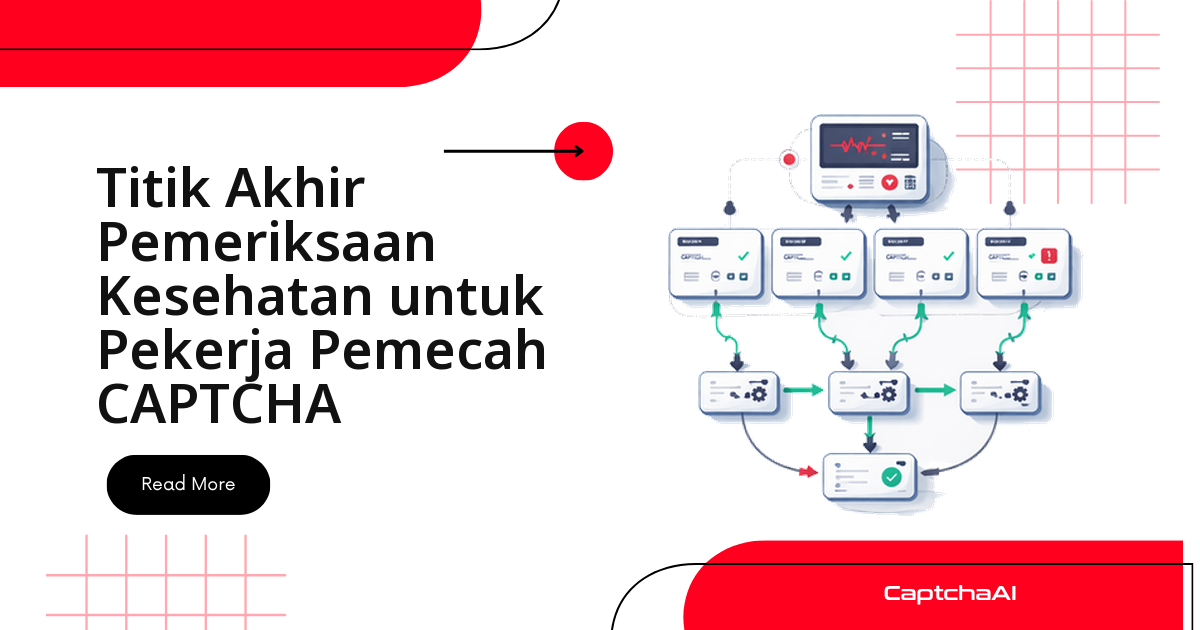
Ketiganya menjawab pertanyaan operasional yang berbeda, dan gate yang salah pada salah satunya membuat orchestrator mengambil tindakan yang keliru:
| Check | Pertanyaan yang dijawab | Kalau gagal |
|---|---|---|
| Liveness | Apakah proses masih berjalan? | Container di-restart |
| Readiness | Apakah worker siap menerima task baru? | Traffic dihentikan sementara |
| Dependency | Apakah layanan upstream (API CaptchaAI) sehat? | Worker degradasi dengan graceful, bukan crash |
Liveness yang terlalu ketat memicu restart loop yang sia-sia — worker yang sebenarnya sehat terus di-restart karena satu probe lambat. Readiness yang terlalu longgar membuat task tetap dikirim ke worker yang sedang stuck. Dependency check memisahkan masalah di kode worker Anda sendiri dari masalah di sisi API upstream, dan keduanya butuh respons operasional yang berbeda.
Health Check Endpoint Flask untuk Worker CAPTCHA (Python)
Contoh berikut mengekspos ketiga endpoint sekaligus — /health/live, /health/ready, dan /health/dependencies — dengan saldo API CaptchaAI di-cache selama 60 detik supaya readiness check tidak membebani API di setiap probe:
import requests
import time
import threading
from flask import Flask, jsonify
from dataclasses import dataclass, field

API_KEY = "YOUR_API_KEY"
RESULT_URL = "https://ocr.captchaai.com/res.php"

app = Flask(__name__)


@dataclass
class WorkerHealth:
    """Tracks worker health metrics."""
    started_at: float = field(default_factory=time.monotonic)
    last_solve_at: float = 0.0
    total_solved: int = 0
    total_failed: int = 0
    consecutive_failures: int = 0
    balance: float | None = None
    balance_checked_at: float = 0.0
    _lock: threading.Lock = field(default_factory=threading.Lock)

    def record_success(self):
        with self._lock:
            self.total_solved += 1
            self.last_solve_at = time.monotonic()
            self.consecutive_failures = 0

    def record_failure(self):
        with self._lock:
            self.total_failed += 1
            self.consecutive_failures += 1

    @property
    def success_rate(self) -> float:
        total = self.total_solved + self.total_failed
        return self.total_solved / total if total > 0 else 1.0

    @property
    def seconds_since_last_solve(self) -> float:
        if self.last_solve_at == 0:
            return time.monotonic() - self.started_at
        return time.monotonic() - self.last_solve_at


health = WorkerHealth()

# Thresholds
MAX_CONSECUTIVE_FAILURES = 10
MAX_SECONDS_WITHOUT_SOLVE = 600  # 10 minutes
MIN_BALANCE = 1.0


def check_balance() -> float | None:
    """Check CaptchaAI balance."""
    now = time.monotonic()
    # Cache balance for 60 seconds
    if health.balance is not None and now - health.balance_checked_at < 60:
        return health.balance

    try:
        resp = requests.get(RESULT_URL, params={
            "key": API_KEY, "action": "getbalance", "json": 1,
        }, timeout=10).json()
        health.balance = float(resp.get("request", 0))
        health.balance_checked_at = now
        return health.balance
    except Exception:
        return health.balance  # Return cached value on error


@app.route("/health/live")
def liveness():
    """Liveness probe — is the process responsive?"""
    return jsonify({"status": "ok", "uptime_s": int(time.monotonic() - health.started_at)}), 200


@app.route("/health/ready")
def readiness():
    """Readiness probe — can the worker accept tasks?"""
    issues = []

    # Check consecutive failures
    if health.consecutive_failures >= MAX_CONSECUTIVE_FAILURES:
        issues.append(f"consecutive_failures={health.consecutive_failures}")

    # Check time since last solve
    if health.total_solved > 0 and health.seconds_since_last_solve > MAX_SECONDS_WITHOUT_SOLVE:
        issues.append(f"no_solve_for={int(health.seconds_since_last_solve)}s")

    # Check balance
    balance = check_balance()
    if balance is not None and balance < MIN_BALANCE:
        issues.append(f"low_balance=${balance:.2f}")

    if issues:
        return jsonify({
            "status": "not_ready",
            "issues": issues,
            "stats": {
                "solved": health.total_solved,
                "failed": health.total_failed,
                "success_rate": round(health.success_rate, 3),
            },
        }), 503

    return jsonify({
        "status": "ready",
        "stats": {
            "solved": health.total_solved,
            "failed": health.total_failed,
            "success_rate": round(health.success_rate, 3),
            "balance": balance,
        },
    }), 200


@app.route("/health/dependencies")
def dependencies():
    """Check upstream dependencies."""
    checks = {}

    # CaptchaAI API reachability
    try:
        resp = requests.get(RESULT_URL, params={
            "key": API_KEY, "action": "getbalance", "json": 1,
        }, timeout=10)
        checks["captchaai_api"] = {
            "status": "ok" if resp.status_code == 200 else "degraded",
            "response_ms": int(resp.elapsed.total_seconds() * 1000),
        }
    except Exception as e:
        checks["captchaai_api"] = {"status": "down", "error": str(e)}

    all_ok = all(c["status"] == "ok" for c in checks.values())
    return jsonify({
        "status": "ok" if all_ok else "degraded",
        "checks": checks,
    }), 200 if all_ok else 503


# --- Worker loop (runs in background) ---

def worker_loop():
    """Simulated CAPTCHA solving worker."""
    while True:
        try:
            # ... solve CAPTCHA logic ...
            health.record_success()
        except Exception:
            health.record_failure()
        time.sleep(1)


threading.Thread(target=worker_loop, daemon=True).start()
Health Check Endpoint Express untuk Worker CAPTCHA (Node.js)
Struktur yang sama berlaku di Node.js — tiga route, satu cache saldo, dan status code yang konsisten dengan versi Flask di atas, supaya load balancer memperlakukan kedua jenis worker secara sama:
const express = require("express");

const API_KEY = "YOUR_API_KEY";
const RESULT_URL = "https://ocr.captchaai.com/res.php";

const app = express();

const health = {
  startedAt: Date.now(),
  lastSolveAt: 0,
  totalSolved: 0,
  totalFailed: 0,
  consecutiveFailures: 0,
  balance: null,
  balanceCheckedAt: 0,

  recordSuccess() {
    this.totalSolved++;
    this.lastSolveAt = Date.now();
    this.consecutiveFailures = 0;
  },

  recordFailure() {
    this.totalFailed++;
    this.consecutiveFailures++;
  },

  get successRate() {
    const total = this.totalSolved + this.totalFailed;
    return total > 0 ? this.totalSolved / total : 1;
  },
};

async function checkBalance() {
  if (health.balance !== null && Date.now() - health.balanceCheckedAt < 60000) {
    return health.balance;
  }
  try {
    const url = `${RESULT_URL}?key=${API_KEY}&action=getbalance&json=1`;
    const resp = await (await fetch(url)).json();
    health.balance = parseFloat(resp.request);
    health.balanceCheckedAt = Date.now();
    return health.balance;
  } catch {
    return health.balance;
  }
}

app.get("/health/live", (req, res) => {
  res.json({ status: "ok", uptimeMs: Date.now() - health.startedAt });
});

app.get("/health/ready", async (req, res) => {
  const issues = [];

  if (health.consecutiveFailures >= 10) {
    issues.push(`consecutive_failures=${health.consecutiveFailures}`);
  }

  if (health.totalSolved > 0) {
    const silentMs = Date.now() - health.lastSolveAt;
    if (silentMs > 600_000) {
      issues.push(`no_solve_for=${Math.round(silentMs / 1000)}s`);
    }
  }

  const balance = await checkBalance();
  if (balance !== null && balance < 1.0) {
    issues.push(`low_balance=$${balance.toFixed(2)}`);
  }

  const stats = {
    solved: health.totalSolved,
    failed: health.totalFailed,
    successRate: Math.round(health.successRate * 1000) / 1000,
    balance,
  };

  if (issues.length > 0) {
    return res.status(503).json({ status: "not_ready", issues, stats });
  }
  res.json({ status: "ready", stats });
});

app.get("/health/dependencies", async (req, res) => {
  const checks = {};
  try {
    const start = Date.now();
    const url = `${RESULT_URL}?key=${API_KEY}&action=getbalance&json=1`;
    const resp = await fetch(url);
    checks.captchaaiApi = {
      status: resp.ok ? "ok" : "degraded",
      responseMs: Date.now() - start,
    };
  } catch (e) {
    checks.captchaaiApi = { status: "down", error: e.message };
  }

  const allOk = Object.values(checks).every((c) => c.status === "ok");
  res.status(allOk ? 200 : 503).json({
    status: allOk ? "ok" : "degraded",
    checks,
  });
});

app.listen(8080, () => console.log("Health server on :8080"));
Menghubungkan Probe ke Kubernetes
livenessProbe dan readinessProbe pada manifest berikut memetakan langsung ke dua endpoint pertama. initialDelaySeconds memberi waktu worker melakukan warm-up sebelum probe pertama dijalankan; periodSeconds dan failureThreshold menentukan seberapa toleran Kubernetes sebelum mengambil tindakan:
apiVersion: apps/v1
kind: Deployment
metadata:
  name: captcha-worker
spec:
  replicas: 3
  template:
    spec:
      containers:

        - name: worker
          image: captcha-worker:latest
          ports:

            - containerPort: 8080
          livenessProbe:
            httpGet:
              path: /health/live
              port: 8080
            initialDelaySeconds: 10
            periodSeconds: 15
            failureThreshold: 3
          readinessProbe:
            httpGet:
              path: /health/ready
              port: 8080
            initialDelaySeconds: 5
            periodSeconds: 10
            failureThreshold: 2
Endpoint /health/dependencies sengaja tidak dipasang sebagai probe Kubernetes — dependency check biasanya dipakai untuk observability (dashboard, alert), bukan untuk memicu restart otomatis, karena kegagalan di layanan upstream belum tentu berarti worker Anda sendiri yang rusak.
Kode Respons yang Perlu Dipantau
| Endpoint | 200 | 503 |
|---|---|---|
/health/live |
Proses responsif | Proses macet — restart |
/health/ready |
Siap menerima task | Pengiriman task dihentikan |
/health/dependencies |
Semua dependency sehat | Ada layanan upstream terdegradasi |
Menentukan Threshold Probe yang Tepat
Threshold yang pas bergantung pada pola traffic worker Anda sendiri, bukan angka default yang dicontek mentah-mentah dari repo orang lain. Beberapa panduan praktis yang berlaku di kebanyakan setup:
- Gunakan readiness untuk memblokir task baru sementara, liveness untuk memicu restart, dan alert saldo untuk mendeteksi penurunan throughput sebelum saldo API benar-benar habis.
- Kaitkan threshold dengan kedalaman queue dan error rate terkini, bukan hanya status proses — worker yang "hidup" tapi antreannya terus bertambah tetap bermasalah secara operasional.
- Simpan nilai threshold di tempat yang mudah dilihat on-call engineer, supaya perubahan kondisi kesehatan bisa langsung ditindaklanjuti tanpa harus membuka kode sumber dulu.
Tim automation dan price-monitoring di Indonesia yang menjalankan belasan hingga puluhan worker CAPTCHA paralel — kebanyakan sebagai kontraktor lepas atau bagian dari tim data di startup kecil — umumnya men-deploy worker ini di region terdekat seperti AWS ap-southeast-3 (Jakarta) atau GCP asia-southeast2 (Jakarta) untuk menekan latensi ke situs target. Pada setup seperti ini, periodSeconds readiness sering dinaikkan ke 10–15 detik dibanding contoh manifest di atas, karena probe yang terlalu rapat pada cluster kecil dengan banyak replica menambah beban tanpa mempercepat deteksi masalah secara berarti. Kondisi jaringan mobile-first yang umum di lingkungan development lokal juga jadi alasan tambahan untuk tidak memasang timeout dan retry yang terlalu agresif di layer health check.
Masalah Umum dan Solusinya
Lima masalah ini paling sering muncul saat health check pertama kali dipasang di worker CAPTCHA:
| Masalah | Penyebab | Solusi |
|---|---|---|
| Worker terus-menerus restart | Threshold liveness terlalu ketat | Naikkan failureThreshold atau periodSeconds |
| Worker ditandai not ready saat baru start | Belum ada solve, jadi dianggap "terlalu lama" | Cek seconds_since_last_solve hanya setelah solve pertama |
| Pengecekan saldo memperlambat health endpoint | API dipanggil di setiap request | Cache saldo dengan TTL (disarankan 60 detik) |
| Health endpoint sendiri ikut error | Exception tidak tertangani di dalam check | Bungkus setiap check dalam try/except; return degraded, bukan 500 |
| False negative dari dependency check | Jaringan sempat terputus saat cek saldo | Pakai cached value dengan pendekatan stale-while-revalidate |
Pertanyaan Umum seputar Health Check Worker CAPTCHA
Apakah endpoint /health/ready perlu dibatasi aksesnya?
Idealnya ya. Endpoint ini membocorkan statistik operasional — jumlah solve, error rate, bahkan saldo API. Expose hanya ke jaringan internal cluster atau load balancer, jangan ke publik lewat domain yang sama dengan endpoint worker lainnya.
Kenapa liveness probe tidak boleh memanggil API CaptchaAI?
Karena liveness hanya menjawab satu pertanyaan: prosesnya masih berjalan atau tidak. Kalau liveness ikut memanggil API eksternal, gangguan jaringan sesaat pada API CaptchaAI bisa memicu restart container yang sebenarnya sehat — restart yang justru menambah masalah, bukan menyelesaikannya.
Apa yang terjadi kalau saldo API CaptchaAI habis saat readiness check jalan?
Endpoint /health/ready mengembalikan status 503 dengan issue low_balance, dan Kubernetes berhenti mengirim task baru ke worker itu sampai saldo di-top up dan readiness kembali hijau. Task yang sudah berjalan tidak ikut terganggu — hanya task baru yang ditahan sementara.
Apa bedanya readiness check dengan circuit breaker pada panggilan API CaptchaAI?
Readiness bekerja di level worker: dia menentukan apakah Kubernetes boleh mengirim task baru sama sekali. Circuit breaker bekerja di level panggilan API di dalam worker yang sudah menerima task — dia menghentikan sementara panggilan ke endpoint yang berulang kali gagal, supaya worker tidak menghabiskan waktu untuk retry yang sia-sia. Keduanya saling melengkapi, bukan saling menggantikan (lihat pola circuit breaker untuk panggilan API CAPTCHA).
Bagaimana cara memantau health check dari banyak worker CAPTCHA sekaligus?
Expose metrik dalam format Prometheus (/metrics) di samping ketiga health endpoint, lalu agregasikan di Grafana dashboard supaya kondisi seluruh fleet worker terlihat dalam satu tampilan — tidak perlu mengecek satu per satu secara manual.
Artikel Terkait
Langkah Selanjutnya
Worker CAPTCHA yang production-ready butuh lebih dari sekadar kode yang berjalan — ambil API key CaptchaAI Anda dan pasang ketiga health check endpoint ini sebelum worker masuk ke traffic produksi.
Panduan terkait: