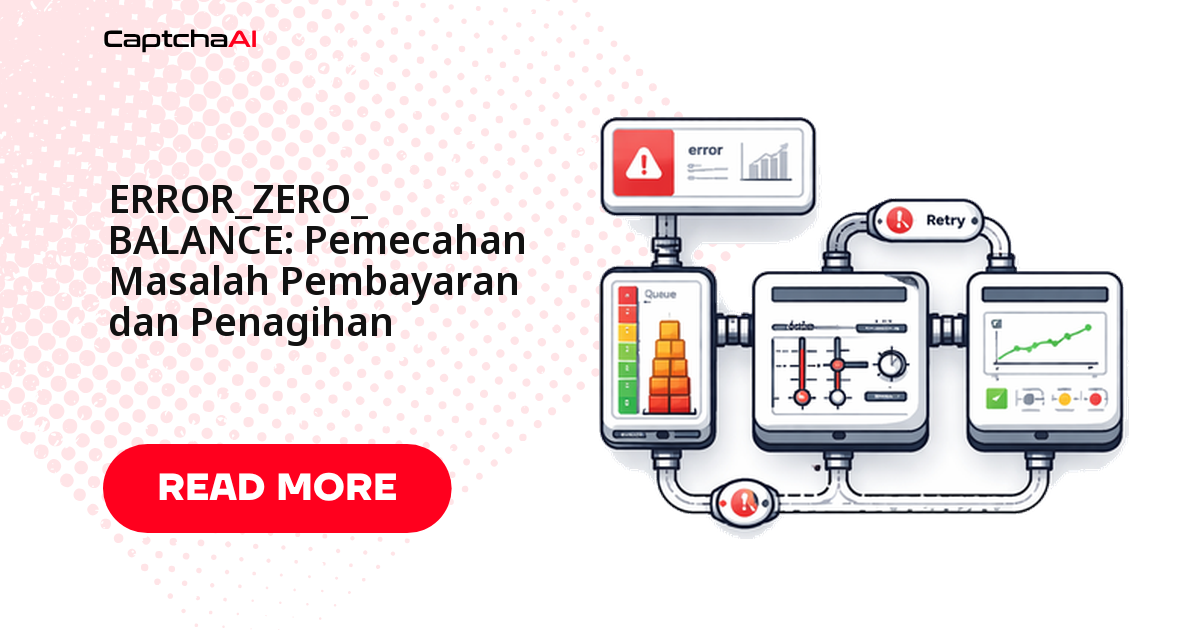
ERROR_ZERO_BALANCE cuma berarti satu hal: saldo akun CaptchaAI Anda habis, jadi API menolak task baru sampai Anda isi ulang. Ini bukan bug — ini sinyal operasional yang tinggal dipasangi alarm. Berikut cara mendeteksinya lebih awal.
Kenapa Saldo Bisa Tiba-Tiba Nol
Penyebab Paling Umum
Kenali dulu penyebab paling umum:
| Penyebab | Seberapa Sering | Cara Mengatasi |
|---|---|---|
| Saldo habis | Paling sering | Isi ulang di captchaai.com |
| Pemakaian melonjak di luar perkiraan | Sering | Pasang monitoring saldo |
| API key bocor | Jarang | Rotasi key, audit log |
| Metode pembayaran gagal/kedaluwarsa | Kadang | Perbarui billing di dashboard |
Cara Mencegahnya
Sebelum masuk ke langkah teknis, beberapa kebiasaan operasional berikut mencegah error ini muncul berulang kali:
- Pasang alert saldo minimum sebelum batch besar berjalan — detailnya ada di Langkah 3.
- Audit API key aktif setiap bulan. Key yang bocor ke repository publik atau log CI adalah penyebab saldo terkuras tiba-tiba yang paling sering luput dari perhatian.
- Catat pemakaian mingguan supaya lonjakan traffic terlihat sebelum saldo benar-benar habis, bukan sesudahnya.
- Pisahkan API key per proyek kalau tim Anda menjalankan beberapa klien sekaligus — satu klien yang boros tidak akan menghabiskan saldo klien lain.
Langkah 1: Cek Saldo Lewat API
Panggil endpoint getbalance sebelum menjalankan task apa pun — simpan sebagai utilitas terpisah, dipanggil dari script batch, cron job, atau dashboard internal Anda.
Lewati langkah ini dan Anda baru tahu saldo habis setelah task pertama gagal di tengah batch — untuk scraping semalam, itu berarti ratusan item menumpuk tanpa hasil sampai ada yang membuka dashboard secara manual keesokan paginya.
import requests


def check_balance(api_key):
    """Check current CaptchaAI balance."""
    resp = requests.get(
        "https://ocr.captchaai.com/res.php",
        params={"key": api_key, "action": "getbalance", "json": 1},
        timeout=10,
    )
    data = resp.json()

    if data.get("status") == 1:
        return float(data["request"])

    raise RuntimeError(f"Balance check failed: {data.get('request')}")


balance = check_balance("YOUR_API_KEY")
print(f"Balance: ${balance:.4f}")
Langkah 2: Bikin Solver yang Tidak Crash Saat Saldo Nol
BalanceAwareSolver berikut dirancang untuk production: cache saldo 5 menit, menolak task lebih awal saat saldo di bawah ambang batas, dan menangkap ERROR_ZERO_BALANCE sebagai exception yang jelas — bukan crash generik.
import requests
import time
import logging

logger = logging.getLogger(__name__)


class BalanceAwareSolver:
    """Solver that handles zero balance without crashing."""

    def __init__(self, api_key, min_balance=0.50):
        self.api_key = api_key
        self.min_balance = min_balance
        self._last_balance_check = 0
        self._cached_balance = None

    def solve(self, params):
        """Solve CAPTCHA with balance pre-check."""
        # Check balance every 5 minutes
        if time.time() - self._last_balance_check > 300:
            self._check_balance()

        if self._cached_balance is not None and self._cached_balance < 0.01:
            raise InsufficientBalanceError(
                f"Balance too low: ${self._cached_balance:.4f}. "
                "Add funds at https://captchaai.com"
            )

        try:
            return self._submit_and_poll(params)
        except ZeroBalanceError:
            self._cached_balance = 0.0
            logger.error("ERROR_ZERO_BALANCE — add funds at captchaai.com")
            raise

    def _check_balance(self):
        """Check and cache balance."""
        try:
            resp = requests.get(
                "https://ocr.captchaai.com/res.php",
                params={
                    "key": self.api_key,
                    "action": "getbalance",
                    "json": 1,
                },
                timeout=10,
            )
            data = resp.json()
            if data.get("status") == 1:
                self._cached_balance = float(data["request"])
                self._last_balance_check = time.time()

                if self._cached_balance < self.min_balance:
                    logger.warning(
                        f"Low balance: ${self._cached_balance:.4f} "
                        f"(threshold: ${self.min_balance:.2f})"
                    )
        except Exception as e:
            logger.debug(f"Balance check failed: {e}")

    def _submit_and_poll(self, params):
        """Submit task and poll for result."""
        data = {"key": self.api_key, "json": 1, **params}
        resp = requests.post(
            "https://ocr.captchaai.com/in.php", data=data, timeout=30,
        )
        result = resp.json()

        if result.get("status") != 1:
            error = result.get("request", "")
            if error == "ERROR_ZERO_BALANCE":
                raise ZeroBalanceError("Account balance is zero")
            raise RuntimeError(f"Submit failed: {error}")

        task_id = result["request"]

        time.sleep(10)
        for _ in range(24):
            resp = requests.get(
                "https://ocr.captchaai.com/res.php",
                params={
                    "key": self.api_key, "action": "get",
                    "id": task_id, "json": 1,
                },
                timeout=15,
            )
            data = resp.json()

            if data.get("status") == 1:
                return data["request"]
            if data["request"] != "CAPCHA_NOT_READY":
                raise RuntimeError(data["request"])
            time.sleep(5)

        raise TimeoutError("Solve timeout")


class ZeroBalanceError(Exception):
    """Raised when account has no balance."""
    pass


class InsufficientBalanceError(Exception):
    """Raised when balance is below minimum threshold."""
    pass
Nilai min_balance=0.50 di atas cuma titik awal. Untuk batch besar, naikkan ke $2–5 supaya ada jeda mengisi ulang sebelum antrean benar-benar macet. InsufficientBalanceError sengaja dipisah dari ZeroBalanceError: yang pertama ambang batas yang Anda tentukan sendiri, yang kedua datang langsung dari respons API.
Langkah 3: Pasang Monitoring dan Alert Otomatis
Cek manual gampang terlewat kalau automasi jalan tanpa pengawasan — misalnya scraping harga yang jalan tiap malam dari server ap-southeast-1 atau asia-southeast2 (Jakarta). Saldo bisa habis jam 2 pagi tanpa ada yang tahu.
BalanceMonitor berjalan sebagai background thread dan mengirim alert saat saldo di bawah alert_threshold. _send_alert sengaja cuma mencatat log — sambungkan ke Slack webhook atau bot Telegram tim Anda.
import smtplib
from email.message import EmailMessage
import threading
import time
import logging

logger = logging.getLogger(__name__)


class BalanceMonitor:
    """Monitor balance and send alerts when low."""

    def __init__(self, api_key, alert_threshold=1.00, check_interval=600):
        self.api_key = api_key
        self.alert_threshold = alert_threshold
        self.check_interval = check_interval
        self._alert_sent = False
        self._running = False

    def start(self):
        """Start background monitoring."""
        self._running = True
        thread = threading.Thread(target=self._monitor_loop, daemon=True)
        thread.start()
        logger.info("Balance monitor started")

    def stop(self):
        """Stop monitoring."""
        self._running = False

    def _monitor_loop(self):
        """Check balance periodically."""
        while self._running:
            try:
                balance = self._get_balance()
                logger.info(f"Balance: ${balance:.4f}")

                if balance <= 0:
                    self._send_alert("CRITICAL: CaptchaAI Zero Balance",
                        f"Balance is ${balance:.4f}. Solving will fail.")
                elif balance < self.alert_threshold and not self._alert_sent:
                    self._send_alert("WARNING: CaptchaAI Low Balance",
                        f"Balance: ${balance:.4f} (threshold: ${self.alert_threshold:.2f})")
                    self._alert_sent = True
                elif balance >= self.alert_threshold:
                    self._alert_sent = False  # Reset alert flag

            except Exception as e:
                logger.error(f"Monitor error: {e}")

            time.sleep(self.check_interval)

    def _get_balance(self):
        """Check account balance."""
        resp = requests.get(
            "https://ocr.captchaai.com/res.php",
            params={"key": self.api_key, "action": "getbalance", "json": 1},
            timeout=10,
        )
        data = resp.json()
        if data.get("status") == 1:
            return float(data["request"])
        raise RuntimeError(data.get("request"))

    def _send_alert(self, subject, body):
        """Send email alert. Replace with your notification method."""
        logger.critical(f"{subject}: {body}")
        # Implement email, Slack webhook, or other notification here


# Usage
monitor = BalanceMonitor("YOUR_API_KEY", alert_threshold=2.00)
monitor.start()
Ambang batas saldo (alert_threshold) yang masuk akal tergantung skala automasi Anda:
- Tim kecil, di bawah 50 solve per hari — ambang batas $1–2 biasanya cukup.
- Batch besar semalaman (misalnya scraping harga e-commerce dari server
ap-southeast-1atauasia-southeast2) — ambang batas $5–10 supaya ada waktu isi ulang sebelum saldo benar-benar nol. - Agency multi-klien — pisahkan ambang batas per API key supaya satu klien yang boros tidak menghabiskan saldo bersama.
Langkah 4: Hitung Estimasi Biaya Sebelum Batch Besar
Sebelum batch ribuan solve, pastikan saldo cukup. Catatan: CaptchaAI menagih per thread aktif, bukan per solve — COST_PER_SOLVE di bawah cuma estimasi kasar untuk planning, bukan tarif resmi. Agency pemantauan harga atau tim scraping freelance dengan beberapa klien sering pakai pendekatan ini.
# Approximate costs per CAPTCHA type
COST_PER_SOLVE = {
    "recaptcha_v2": 0.003,
    "recaptcha_v3": 0.004,
    "turnstile": 0.002,
    "geetest": 0.003,
    "image": 0.001,
    "bls": 0.002,
}


def estimate_cost(captcha_type, quantity):
    """Estimate cost for a batch of solves."""
    rate = COST_PER_SOLVE.get(captcha_type, 0.003)
    total = rate * quantity
    return total


def check_budget(api_key, captcha_type, planned_solves):
    """Check if balance covers planned solves."""
    balance = check_balance(api_key)
    estimated = estimate_cost(captcha_type, planned_solves)

    if balance >= estimated:
        print(f"Budget OK: ${balance:.4f} covers ~{int(balance / COST_PER_SOLVE[captcha_type])} solves")
        return True
    else:
        shortfall = estimated - balance
        print(f"Need ${shortfall:.4f} more for {planned_solves} {captcha_type} solves")
        return False


# Check before a large batch
check_budget("YOUR_API_KEY", "recaptcha_v2", 5000)
Angka di COST_PER_SOLVE bukan tarif resmi CaptchaAI — hanya estimasi kasar untuk planning internal. Tambahkan buffer 15–20% di atas hasil estimasi murni: campuran tipe CAPTCHA dalam satu batch (reCAPTCHA v2 bercampur dengan image, misalnya) bisa menggeser total lebih jauh dari perkiraan awal.
Langkah 5: Siapkan Rencana Graceful Degradation
Kalau saldo tetap habis meski monitoring sudah terpasang, automasi tetap butuh rencana cadangan. GracefulSolver menawarkan tiga opsi: lewati item gagal (skip), antrekan untuk dicoba lagi (queue), atau hentikan proses (raise). Untuk pipeline scraping, queue paling aman.
class GracefulSolver:
    """Fall back to manual or skip when balance is zero."""

    def __init__(self, api_key, on_zero_balance="skip"):
        self.api_key = api_key
        self.on_zero_balance = on_zero_balance  # "skip", "queue", "raise"
        self._pending_queue = []
        self.solver = BalanceAwareSolver(api_key)

    def solve_or_degrade(self, params, item_id=None):
        """Try to solve, degrade gracefully on zero balance."""
        try:
            return self.solver.solve(params)
        except (ZeroBalanceError, InsufficientBalanceError):
            return self._handle_zero(params, item_id)

    def _handle_zero(self, params, item_id):
        """Handle zero balance based on configured strategy."""
        if self.on_zero_balance == "skip":
            logger.warning(f"Skipping CAPTCHA for item {item_id} — no balance")
            return None

        elif self.on_zero_balance == "queue":
            self._pending_queue.append({"params": params, "item_id": item_id})
            logger.info(f"Queued item {item_id} — {len(self._pending_queue)} pending")
            return None

        else:  # "raise"
            raise ZeroBalanceError("No balance — stopping automation")

    def retry_pending(self):
        """Retry queued items after balance is refilled."""
        if not self._pending_queue:
            return []

        results = []
        remaining = []

        for item in self._pending_queue:
            try:
                token = self.solver.solve(item["params"])
                results.append({"item_id": item["item_id"], "token": token})
            except (ZeroBalanceError, InsufficientBalanceError):
                remaining.append(item)
                break  # Stop retrying — still no balance

        self._pending_queue = remaining + self._pending_queue[len(results) + len(remaining):]
        return results
Strategi mana yang tepat tergantung SLA internal tim Anda: skip cocok untuk crawling non-kritis di mana beberapa item hilang tidak masalah, queue cocok untuk pipeline yang harus tetap lengkap begitu saldo terisi ulang, dan raise cocok untuk job yang harus berhenti total kalau ada risiko data tidak lengkap.
Kalau Error Masih Muncul
Kalau langkah-langkah di atas sudah dijalankan tapi error masih muncul, cocokkan gejala berikut sebelum menghubungi support:
| Gejala | Kemungkinan Penyebab | Perbaikan |
|---|---|---|
| ERROR_ZERO_BALANCE di setiap request | Akun kosong | Isi ulang di captchaai.com |
| Saldo turun lebih cepat dari perkiraan | Key bocor atau kode boros request | Rotasi key, cek log pemakaian |
| Saldo positif tapi error tetap muncul | Delay cache/sinkronisasi | Tunggu 1 menit, coba lagi |
| Tidak bisa isi ulang saldo | Masalah metode pembayaran | Perbarui metode di dashboard |
Pertanyaan yang Sering Muncul
Apakah ERROR_ZERO_BALANCE menghentikan task yang sedang diproses?
Task yang sudah antre biasanya tetap selesai; task baru langsung ditolak — pre-check di BalanceAwareSolver (Langkah 2) mencegah ini.
Bisa kirim alert saldo ke Slack atau Telegram, bukan cuma email?
Bisa — ganti _send_alert() (Langkah 3) dengan webhook Slack atau bot Telegram.
Apakah CaptchaAI mengenakan biaya untuk solve yang gagal?
Tidak. Biaya hanya berlaku untuk solve yang berhasil.
Bisakah saya mengatur top-up otomatis?
Cek dashboard CaptchaAI, atau bangun alert sendiri dengan kode di atas.
Apa yang terjadi kalau saya isi ulang saldo saat automasi masih berjalan?
Task baru langsung bisa diproses lagi begitu saldo bertambah — tidak perlu me-restart script. Cache saldo di BalanceAwareSolver (Langkah 2) refresh otomatis tiap 5 menit, atau Anda bisa memicu _check_balance() secara manual kalau butuh saldo yang ter-update seketika.
Panduan Terkait
Isi ulang saldo CaptchaAI Anda sekarang — sebelum automasi berhenti di waktu yang tidak tepat.